Dailies
Dailies join clips one after another into a single video, with information burnt into the picture. Use them to share a day's footage or review takes.
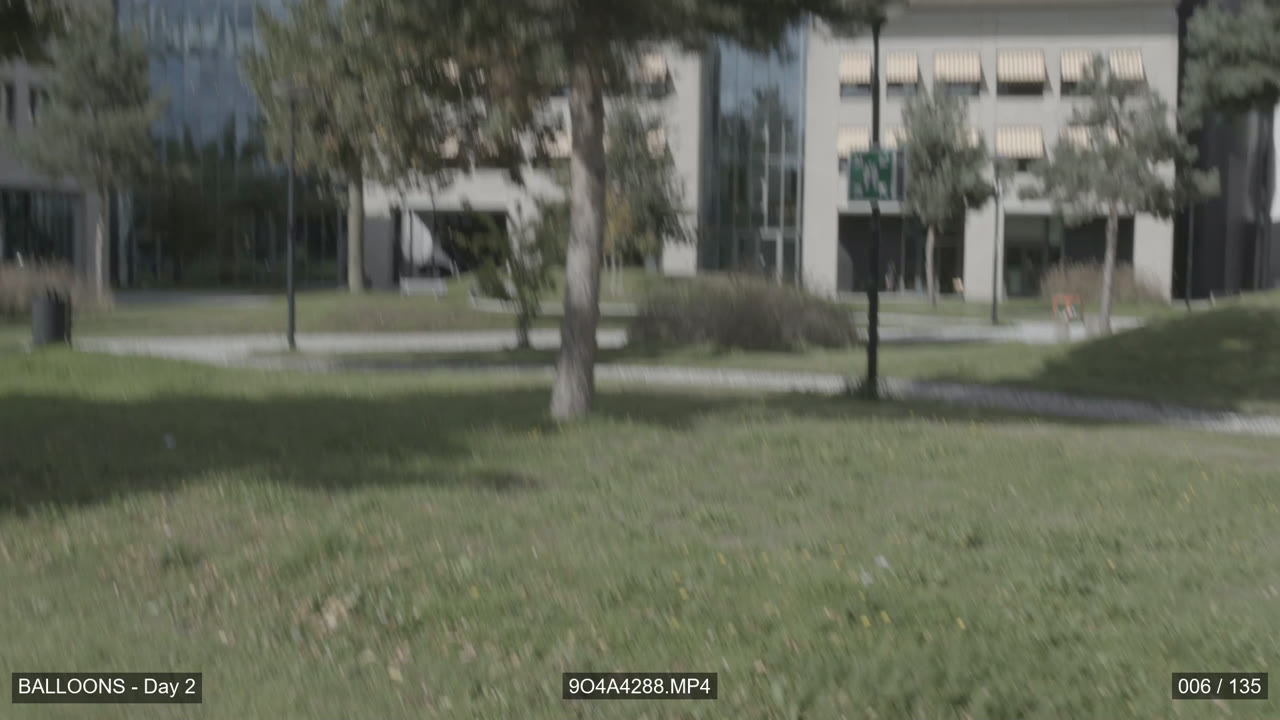
| Where | What |
|---|---|
| Bottom left | Your project name |
| Bottom centre | The clip's file name |
| Bottom right | Frame number and the clip's total frames, e.g. 006 / 135 |
Each one can be switched on or off. The text is Arial, on a 50% black box, and the frame counter restarts at 1 for each clip.
Making dailies
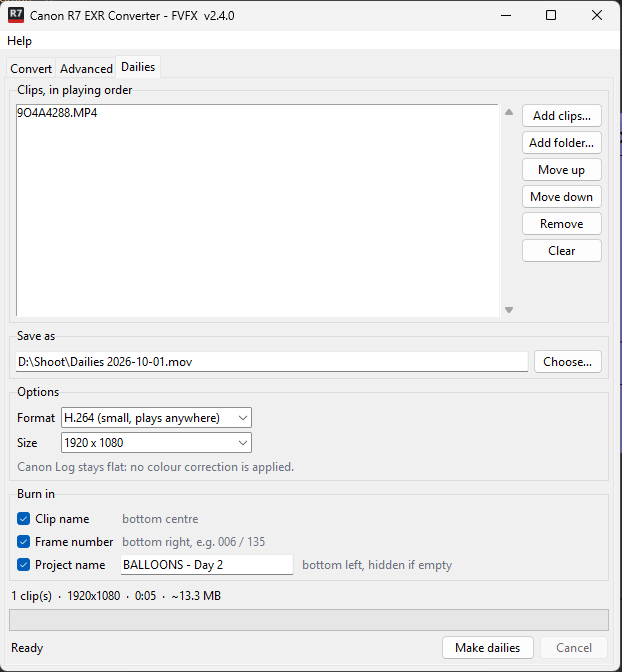
- Open the Dailies tab.
- Click Add clips… or Add folder…. The clips play in list order: select one and use Move up / Move down to change it.
- Check Save as. It defaults to
Dailies <date>.movnext to the first clip. -
Choose the options (or leave the defaults):
Option Choices Format H.264 (default: small, plays anywhere), ProRes 422 HQ, ProRes 422, ProRes 422 LT Size 1920 x 1080 (default), Same as first clip -
Under Burn in, tick what should appear in the picture. All three are on by default. Type a Project name to show it bottom left; if the box is empty, or its tick is off, nothing is shown there.
- Click Make dailies. When it's done, the app offers to play the file.
The line above the progress bar shows the length and estimated file size.
The picture looks flat and grey: that's normal
Dailies show the footage exactly as the camera recorded it. Canon Log 3 is a log recording, so it looks low-contrast and desaturated. No colour correction or LUT is applied, so everyone sees the real recording.
Good to know
- Mixed clips are fine. Clips of a different size are fitted inside the frame with black bars. Clips at a different frame rate are converted to the first clip's frame rate (frames are repeated or dropped), and the log says so.
- Sound is included. Clips without sound get silence, so the audio stays in sync.
- Sizes: H.264 at 1080p is about 2.5 MB per second of footage, and ProRes 422 HQ about 25 MB per second.
- H.264 vs ProRes: pick H.264 for sharing, uploading or watching on a laptop. Pick ProRes if the dailies are going into an editing program.
- You can't make dailies and convert at the same time: one job runs at a time.